
Introducing Geopointe
This was also posted to the new Arrowpointe Product blog. We are moving all product specific information to that new blog and keeping this blog focused on developer related information. Please subscribe (rss, email)
We are pleased to announce the release of our newest application, Geopointe. Geopointe integrates Force.com with Google Maps and MapQuest and is the premier Force.com geo/mapping solution providing numerous ways for end-users, administrators and developers to take advantage of geo data and maps.
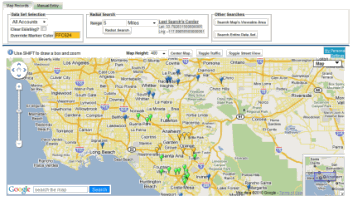
Highlights of Geopointe include (but is not limited to):
- Map any Salesforce object
- Perform proximity searching (show me what’s nearby me)
- Create custom data sets (queries), both personal and public ones
- Export your results to CSV (Excel) or KML (Google Earth)
- Obtain multi-point driving directions
- The Visualizer helps create dashboard-like summaries of your data
- Automated, Scheduled Geocoding processes your data at 1000+ records per minute
- Get cleansed address data
- Contains an “API” with global Apex methods, Visualforce Components and the ability to extend the application using custom buttons.
- All existing Arrowpointe Maps customers get a free license transfer to Geopointe for the same user count and expiration date as their current license with a goal to get users off of Arrowpointe Maps and onto Geopointe.
To learn more, you can:
- Visit the AppExchange Listing
- Visit the product page on our website
- Visit the YouTube Channel
- Follow us on Twitter
- “Like” Arrowpointe on Facebook
(for best results, choose an HD viewing option after starting the video and use full-screen mode)
Permalink
Comments off 
 Salesforce just